Development & Plot Management
Learn more >The complete housebuilder management solution.
We’re consistently improving to keep you ahead of the pack
Explore the features of ContactBuilder and see how our housebuilder management software can keep you ahead of your competitors by giving you control over the build, marketing, sales and aftercare processes.
We believe there is nothing like first-hand experience, so to arrange a demo please contact us using the link below.

Easy development administration with flexible plot management
Comprehensive Contact Lifecycle
Learn more >
Consolidating the data that matters to you
Integrations
Learn more >
Seamlessly working with third-party platforms
Task/Calendar Management
Learn more >
Never lose sales by losing touch
Reporting & Dashboards
Learn more >
In-depth insights and reporting supporting our at-a-glance dashboards, which offer real-time management
Reservations and Progression
Learn more >
Processing reservations through to completion, every step of the way
Options and Extras
Learn more >
Making your house their home
Aftercare
Learn more >
Streamlined aftercare management, saving time and complaints
Automated Customer Journey
Learn more >
Stay in touch throughout the process with automated emails
Online Charges and Payments
Learn more >
Easy payments, made from anywhere
Customer Portal
Learn more >
Allow customers to monitor progress and access documents
Online Forms and E-Signing
Learn more >
Pre-filled forms and e-signing
Development & Plot Management
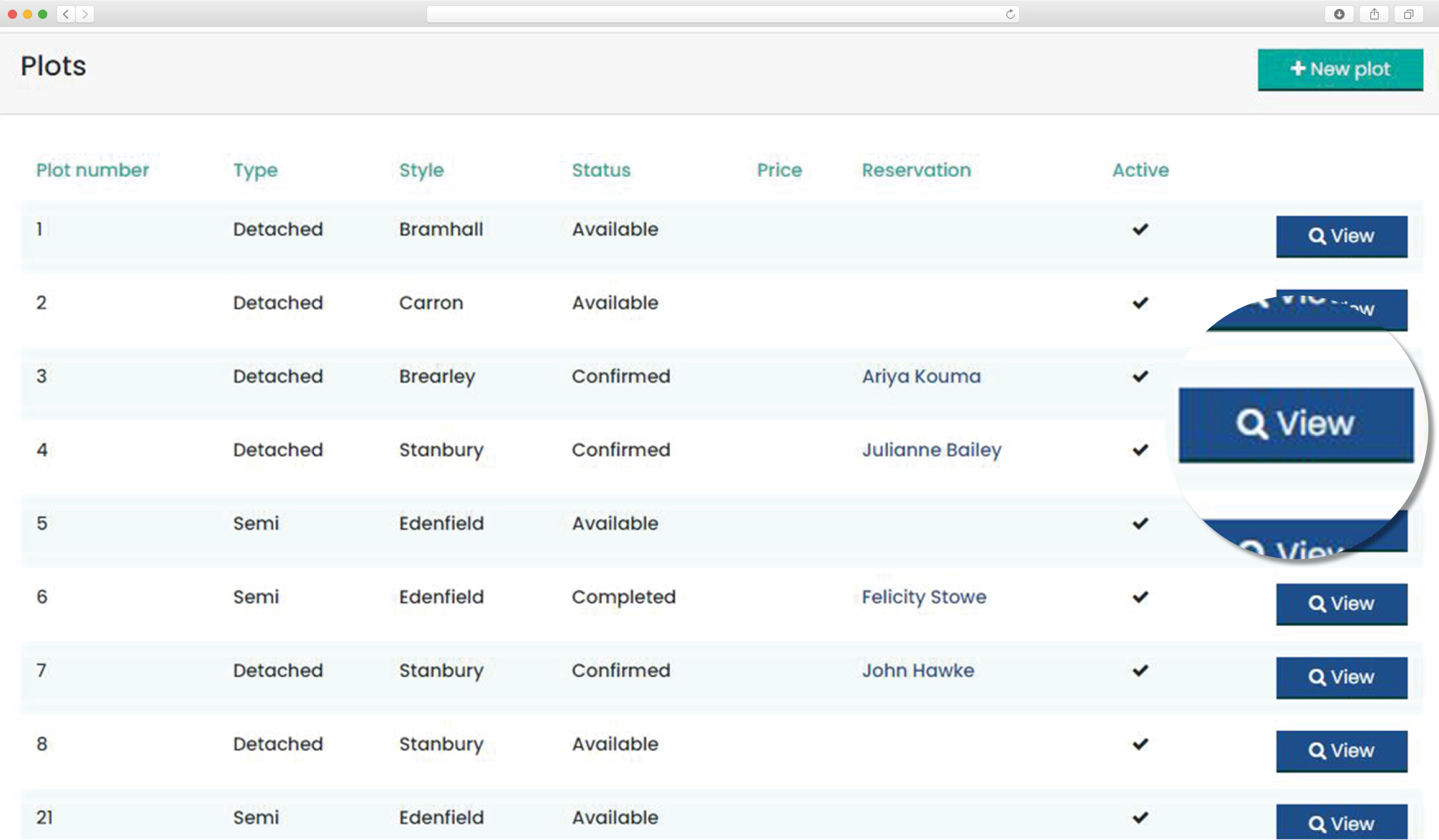
Easy development administration with flexible plot management
New build developments can often take some time to get setup and running, long before they are ready to go on sale. ContactBuilder facilitates the initial pre-sale set up of a development, along with plots, so that you can add information as and when you have it. And it caters for all types of new build development setups, including the flexibility to add plots in phases and apartment block.
From the start, the file upload area will allow you to save all your important documents relating to a plot or development in one place.
The handy plot bulk update function allows information like addresses, number of bedrooms, house types and build stage updates to be added for multiple properties at once, with just a couple of clicks.
Once the development is released for sale, you can then easily see an overview of your plots including reservation status, build stage and what is remaining to sell. You can also configure your options and extras from the plot management screen, while dashboards and reports allow you to extract and share key information.
Once a plot has reserved, you can also create automated emails to keep purchasers up to date when their build status changes.
Comprehensive Contact Lifecycle
Consolidating the data that matters to you
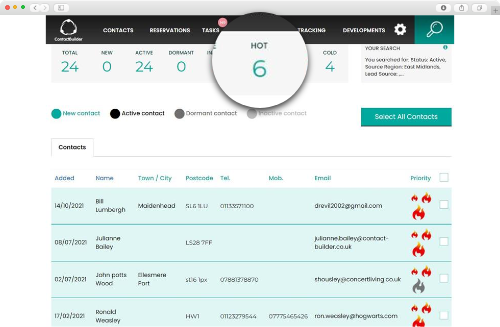
Manage the contact lifecycle from various sources in a single place, using custom fields to capture the data that matters to your business. Contacts can be reached by email and SMS directly from the system, either individually or in bulk.
ContactBuilder records the entire customer journey, from initial enquiry through the sales process and into aftercare, automatically logging interactions through the platform while allowing users to add any further manual interactions.

Integrations
Seamlessly working with third-party platforms
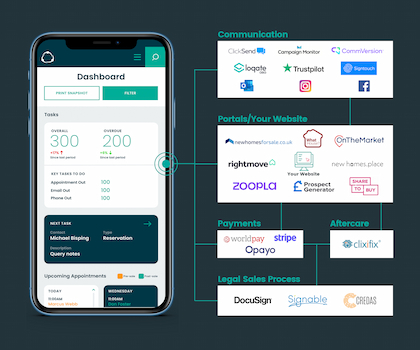
We know housebuilders use a variety of platforms to manage the purchase process. From acquiring a lead to delivering purchaser aftercare, ContactBuilder integrates with market-leading third-party applications and your website, allowing key data to move seamlessly between systems.
Our ContactBuilder integrations include:
- Campaign Monitor
- Clicksend
- Loqate
- Your website (enquiry feed inbound and development, house type and plot data outbound)
- Rightmove (enquiry feed inbound and development, house type and plot data outbound)
- Zoopla
- Onthemarket
- New Homes for Sale
- WhatHouse?
- new homes.place
- Share to Buy
- Prospect Generator
- CommVersion
- Meta (Lead Gen)
- Outlook - full inbound/outbound email integration
- Stripe
- Opayo
- Worldpay
- Signable
- DocuSign
- Clixifix
- Trustpilot
- Credas
Task/Calendar Management
Never lose sales by losing touch
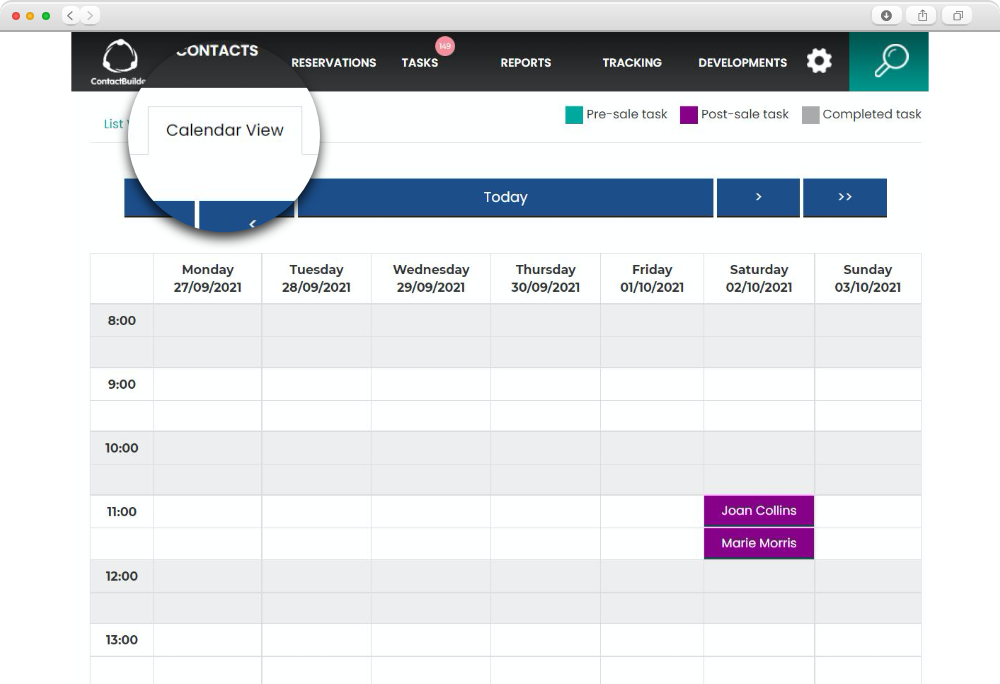
Tasks act as a reminder for your sales team to keep in contact with leads and customers. Displayed in a list or diary view, a variety of tasks can be scheduled such as phone calls, appointments, emails, SMS messages, letters and more, allowing for comprehensive management of contact relationships.
Contacts can also be automatically assigned to predefined workflows, creating a series of tasks against the individual to be carried out sequentially, with the workflow itself being completely customisable.
Reporting & Dashboards
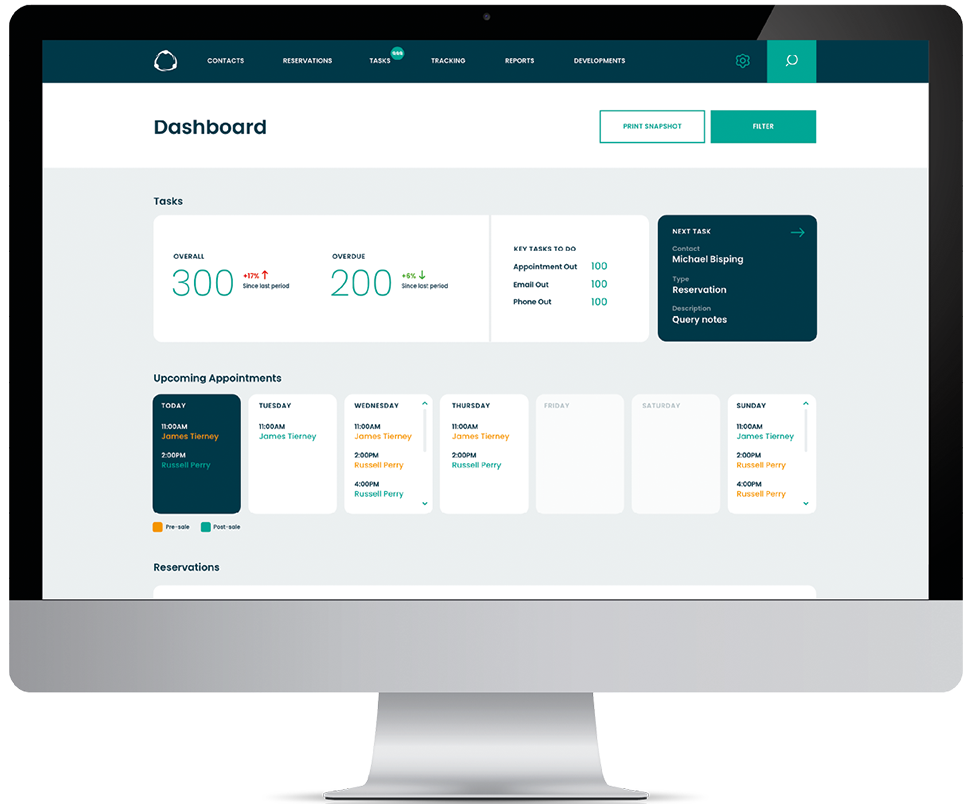
In-depth insights and reporting for real-time business insight
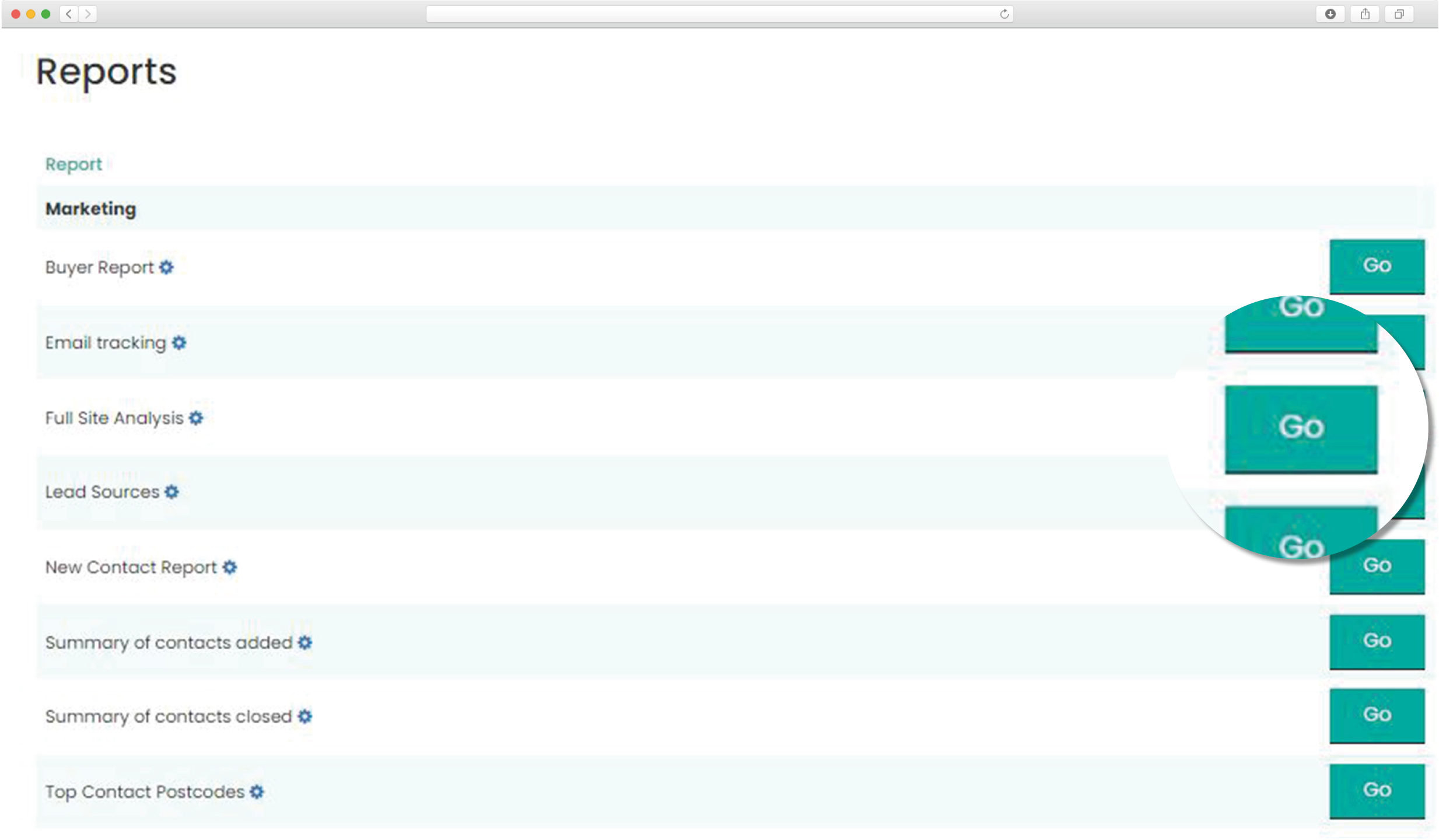
ContactBuilder offers around 40 different reports, and the list is growing. The reporting suite covers sales leads and activity, reservations, progression and options and extras. All reports are downloadable, allowing you to extract and share this information as needed.
You can use our housebuilder reporting to identify trends, monitor corporate performance and understand how individual developments are performing, including buyer types, enquiry sources and time taken to reserve.
If you need to know how a development is performing including the types of buyers, their source of enquiry or just how long it is taking them to reserve, we have a report for that. You can also monitor payments, email marketing and data cleansing, while giving your sales team access to the reports they need to understand their performance.
Our dashboards provide an at-a-glance view of lead interactions, reservations, aftercare tickets, charges and payments and a plot overview. These can also be downloaded into a report format to analyse and share as needed.
Reservations and Progression
Processing reservations through to completion, every step of the way
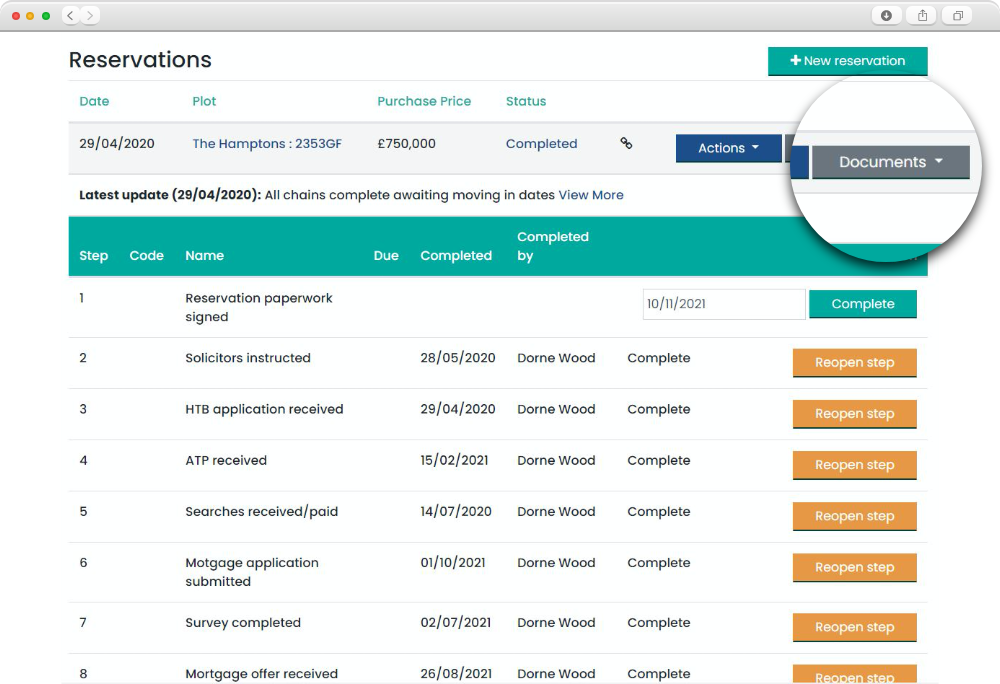
Our housebuilder CRM system allows you to address reservations against contacts, detailing development and plot information alongside purchasing particulars. Reservation to completion steps can be logged against the record with tasks set for key milestones; supporting documentation can be uploaded and stored within the platform.
Documents can also be shared with purchasers and relevant suppliers, including solicitors and IFAs, helping to keep the sales progression process organised from reservation through to completion.
Options and Extras
Making your house their home
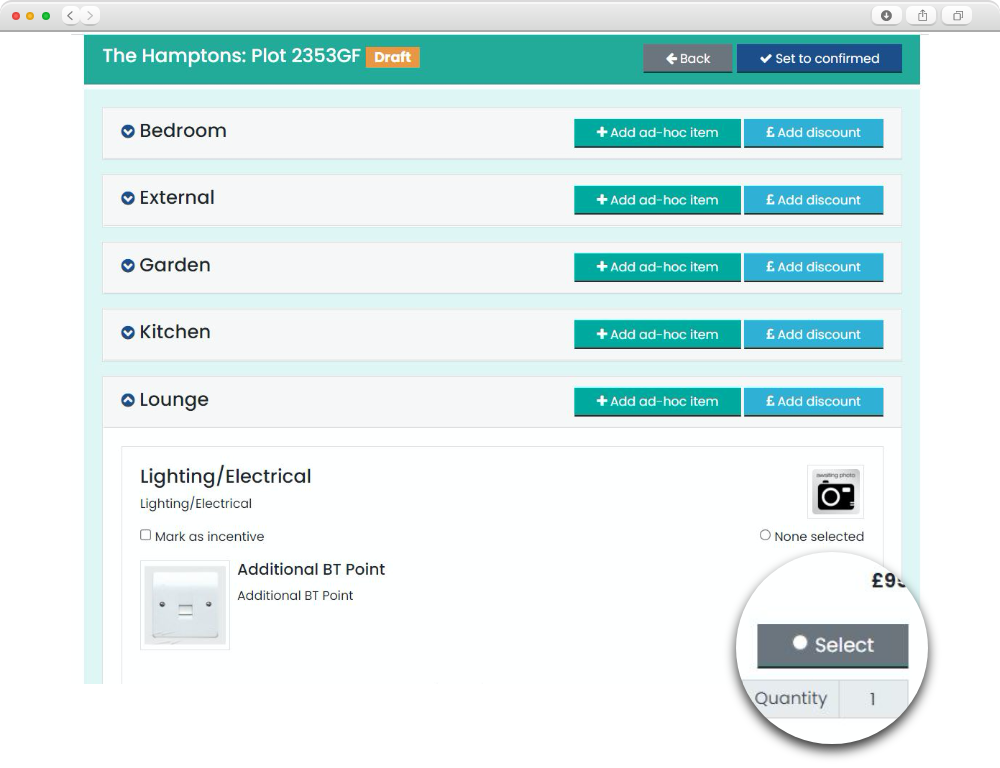
If you offer customisation of your properties' fixtures and fittings, you can easily manage this through your ContactBuilder system. The 'shopping list' style of our Options and Extras module will help you to compile the purchaser's options and extras for each room of their property.
The order form can be signed on screen and you can raise a works order to issue to site, all within ContactBuilder.
Aftercare
Streamlined sales aftercare management, saving time and complaints
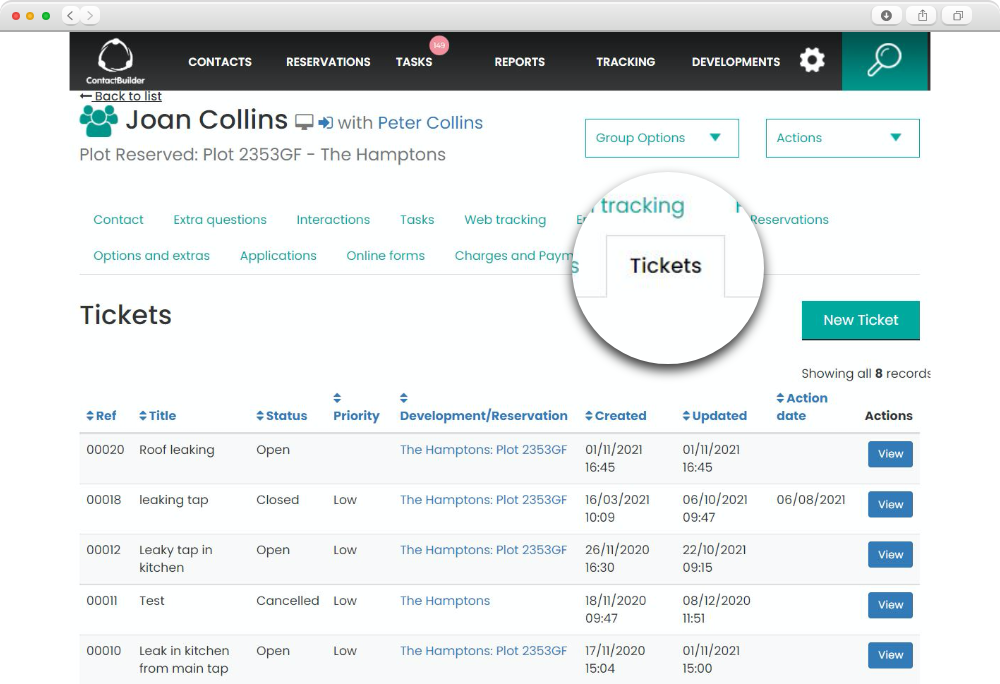
Tickets can be raised to acknowledge any queries/snagging issues that your purchasers may have. This can be logged through the system or by your purchaser if they have a customer portal. These tickets can be assigned to your appointed contractor to deal with automatically.
Images of any issues can also be provided and sent on to the contractor that will be dealing with them directly through the system.
Automated Customer Journey
Stay in touch throughout the customer journey with automated emails
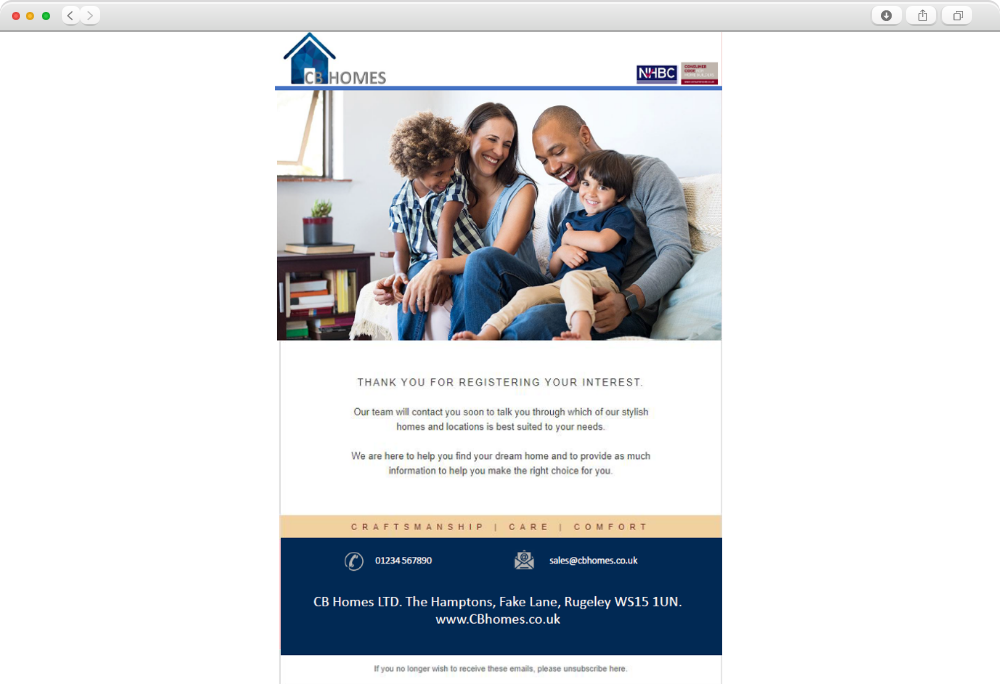
From the moment of enquiry, you can automate emails throughout the purchasing process. You can also keep purchasers informed when key stages are reached, including reservation confirmations, surveyor visits and appointments such as home demonstrations, all with the click of a button.
Online Charges and Payments
Easy online payments for housebuilders, made from anywhere
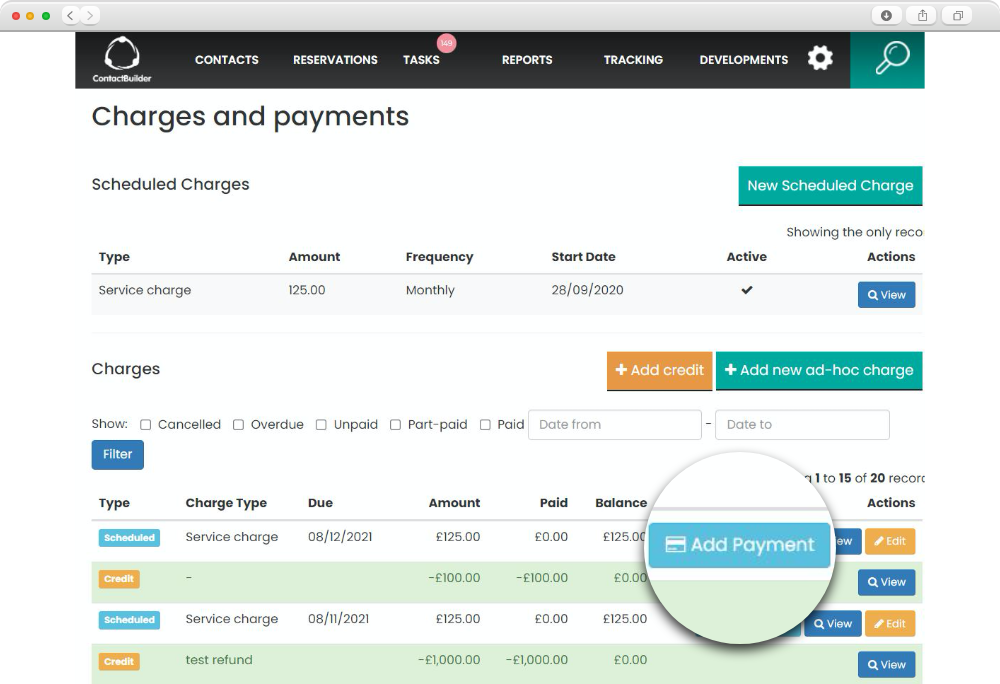
Our charges and payments module is integrated with Worldpay, allowing your team to process payments through your ContactBuilder portal. Log recurring and ad-hoc charges, take customer payments and automatically send overdue payment alerts and payment confirmations via email.
Your purchasers can also make payments and track future charges through the customer portal module using the 'My New Home' interface. And if you don't have Worldpay? We can help you get set up, or you can continue to use your current payment processor and manually update the receipt of payments.
Customer Portal
Allow customers to monitor and access documents
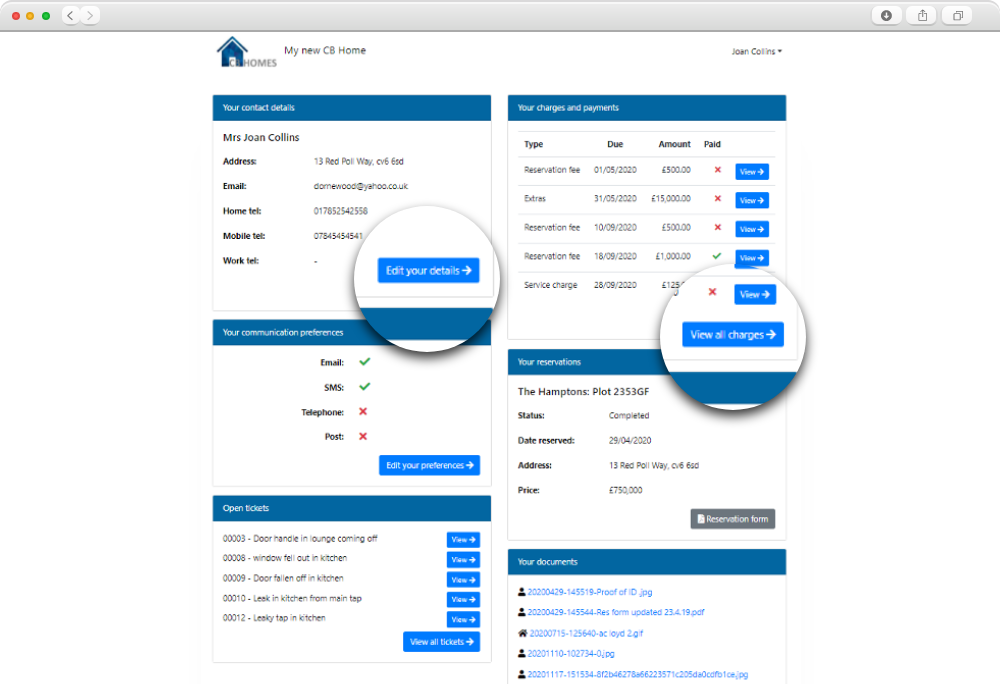
The customer portal gives your purchasers a secure place to monitor the progress of their reservation, access documents and reservations forms and upload information.
White labelled and branded with your company colours, the customer portal helps to create a seamless, user-friendly customer journey. Purchasers can also update their contact details and marketing preferences, as well as log support and snag tickets where the relevant module is enabled.
Anything updated or added by the customer automatically updates in your ContactBuilder portal, keeping information current and communication straight forward.
Online forms and E-signing
Pre-filled online forms and e-signing
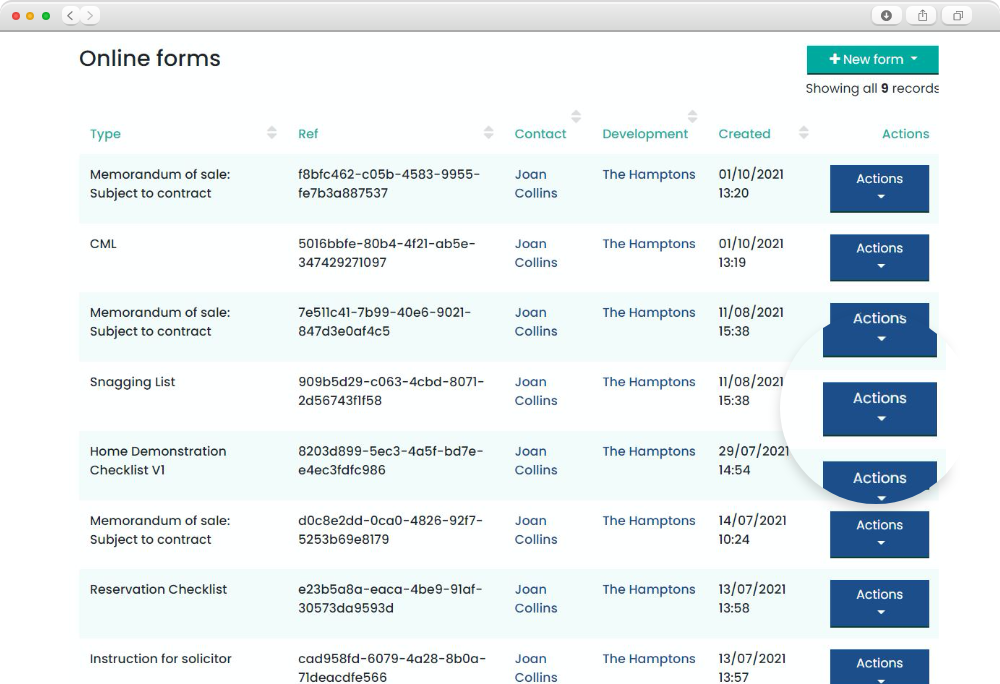
ContactBuilder provides standard online forms including CML, home demo checklists, pre-reservation checklists and handover forms. Bespoke forms can also be added where required at an extra cost.
Optionally, forms can be signed online, allowing the process to be completed remotely. They can also be pre-filled with contact information where relevant, helping save time and improve accuracy.